Recommended kit
My gear
The cameras, lights, software and products I use and recommend, in one place.
Camera and video 2
-
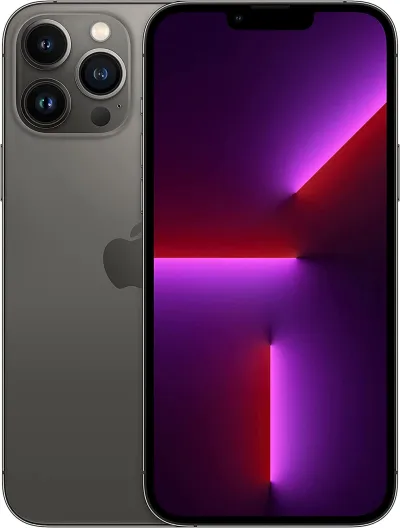
Apple iPhone 13 Pro Max
As a YouTuber, I choose to use the Apple iPhone 13 Pro Max as my video camera due to its exceptional camera capabilities and user-friendly interface. The device's triple-camera system allows me to capture a wide range of shots, from ultra-wide landscapes to close-up shots with its telephoto lens. Additionally, the phone's advanced video recording features, including Dolby Vision HDR and ProRes recording, ensure that my videos are of the highest quality. The iPhone 13 Pro Max offers me a convenient and professional-quality video camera that fits seamlessly into my workflow as a YouTuber.
-
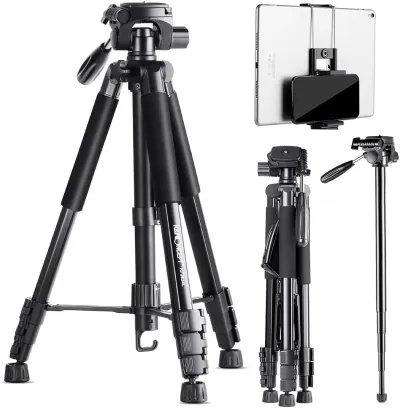
K&F Concept
I use the K&F Concept tripod for my phone due to its versatility and stability. The tripod's adjustable legs and center column allow me to easily adjust the height and angle of my phone for different shots, while the ball head provides smooth and precise movements. The tripod's sturdy construction and rubber feet also ensure that my phone stays stable and secure while recording. Additionally, the tripod's lightweight and compact design makes it easy to transport and set up on location. The K&F Concept tripod offers me a reliable and convenient solution for capturing smooth and stable shots for my YouTube videos. Also, it's not too expensive.
Audio 1
-
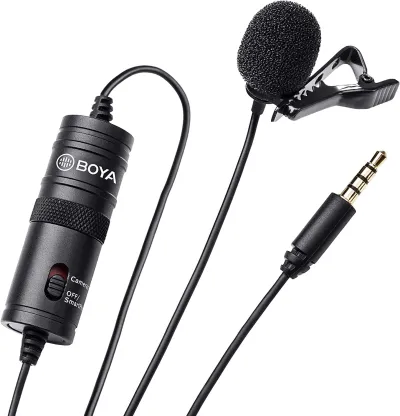
Boya M1
I choose to use the Boya M1 lavalier microphone for my videos due to its high-quality sound and convenience. The microphone's omnidirectional pickup pattern ensures that my voice is clear and crisp, even in noisy environments. The compact size of the microphone also allows me to easily attach it to my clothing without it being visible on camera, giving my videos a professional look. Additionally, the microphone comes with a long cable, allowing me to move around freely while recording. Overall, the Boya M1 lavalier microphone offers me a convenient and reliable solution for capturing high-quality audio for my YouTube videos.
Lighting 3
-
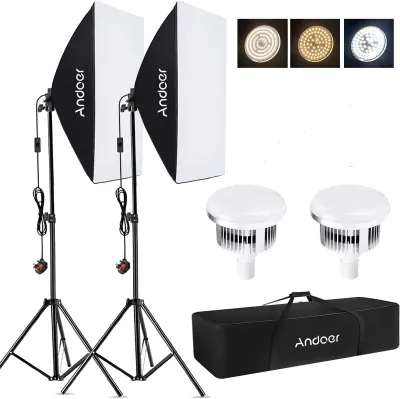
Andoer
While this may not be my personal kit, I believe that the Andoer Lights kit is a great starting point for those looking to improve their YouTube videos with background lighting. The kit comes with two adjustable LED lights, providing ample light to brighten up any background. The lights also come with diffusers to create a soft and even light that looks natural on camera. The lightweight and portable design of the lights makes them easy to set up and move around as needed. Additionally, the kit comes at an affordable price point, making it a great value for those just starting out.
-
Nanoleaf Mini Triangles Starter Kit
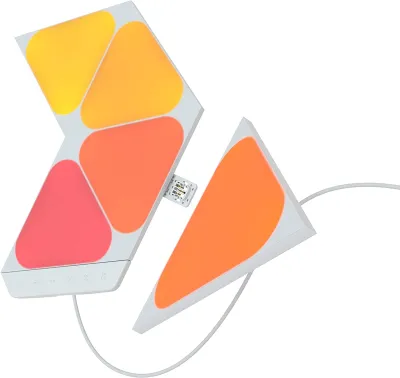
I choose to use the Nanoleaf Mini Triangles Starter Kit as backlights and a logo for my videos due to their customizable design and high-quality lighting. The 5 triangles that come with the starter kit were not enough for my logo so I also got the expansion kit below. The triangle-shaped panels can be arranged in a variety of configurations to create unique designs that complement my brand and content. The panels also offer a range of color options and lighting effects, allowing me to customize the lighting to suit the mood and tone of each video. Additionally, the panels are easy to set up and control using the Nanoleaf app or voice commands. The Nanoleaf Mini Triangles Starter Kit offers me a convenient and customizable solution for enhancing the visual appeal of my YouTube videos.
-
Nanoleaf Mini Triangle Expansion Pack
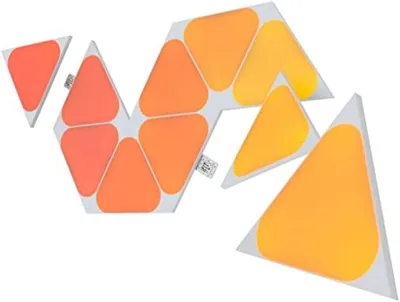
I got the Nanoleaf Mini Triangles Starter Kit to decorate my room with some colorful and interactive lighting. Although I loved the starter kit, I quickly realized that I needed more triangles to create the logo I had in mind. That's why I decided to get the expansion kit as well. The additional triangles allowed me to complete my logo and create a stunning display that brightens up my room. If you're planning to create a specific design with your Nanoleaf Mini Triangles, I highly recommend getting the expansion kit to have enough pieces to work with.
Desk and computer 1
-
Apple 2020 MacBook Pro M1
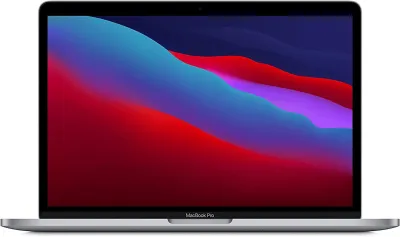
As someone who already owns an older model of the MacBook Pro, I don't feel the need to upgrade just yet. However, I highly recommend the Apple MacBook Pro M1 as an editing rig for a YouTube channel. Its powerful M1 chip and optimized software make editing smooth and efficient, while the Retina display ensures that the final product looks stunning. The improved battery life and fast performance make it an excellent choice for content creators who need to work on-the-go. Overall, if you're in the market for a new editing rig, the MacBook Pro M1 is definitely worth considering.
Software and subscriptions 10
-
FCPX
In my opinion, Final Cut Pro X's one-time purchase model provides a cost-effective solution for YouTubers who want to create high-quality content without the recurring cost of a subscription. As an Apple product, FCPX is optimized for Mac. This provides an efficient editing option for those who work on a MacBook Pro or other Apple devices. The user-friendly interface and straightforward tools make it an accessible choice for creators of all skill levels, making the editing process less intimidating and more enjoyable. Overall, Final Cut Pro X is a versatile and cost-effective solution for YouTubers who want to produce high-quality content without the ongoing expense of a subscription.
-
Time Bolt
As a content creator, I find Time Bolt to be an essential tool in my video editing process. Its automatic removal of silences and filler words, such as "ums", helps to streamline the editing process and create a more polished final product. Moreover, Time Bolt's ability to export edited videos as XML files is incredibly useful as it allows me to easily import them into my preferred editing software, such as FCPX, and continue the editing process from there. Thanks to its user-friendly interface and compatibility with various platforms, Time Bolt has become an indispensable part of my editing workflow, allowing me to create high-quality videos more efficiently. Get 20% off through the link below.
-
Artlist
I use Artlist because it provides an extensive library of high-quality music tracks and sound effects. As a content creator, finding the right music can be time-consuming and expensive. With Artlist, I can easily search and download tracks that fit my videos' tone and style without worrying about licensing issues or additional costs.
Additionally, Artlist's simple and user-friendly interface makes it easy to navigate and find the perfect track for my projects. The platform also offers unlimited downloads, which is incredibly helpful when working on multiple videos simultaneously. Get 2 Months FREE by going through the link below.
-
Envato Elements
As a content creator, Envato Elements has been a valuable resource for me. Its vast library of digital assets, including stock photos, graphics, and templates, has been incredibly useful in enhancing my content's visual appeal.
I appreciate the platform's subscription-based model, which allows me to access unlimited downloads at an affordable price. It's an excellent option for content creators who need a variety of assets but don't want to break the bank.
Moreover, Envato Elements' user-friendly interface and search function make it easy to find what I need quickly. Whether I'm looking for a specific graphic or a template for my project, I can easily browse and download what I need without any hassle.
-
Envato Market
While Envato Elements is an excellent resource for digital assets, I find that Envato Market provides a broader range of options for specific needs. Its marketplace model allows me to purchase individual assets, such as WordPress themes or audio tracks, without committing to a subscription.
Envato Market's quality standards are high, and I appreciate that they vet their contributors to ensure that the assets are top-notch. Additionally, their licensing terms are clear, which provides peace of mind when using assets in commercial projects.
-
Notion
It has become an indispensable tool for me as a content creator. The platform's flexible and customizable workspace allows me to organize my ideas, projects, and tasks efficiently.
I appreciate the platform's user-friendly interface, which makes it easy to navigate and customize to my preferences. Notion also offers a wide range of templates that I can use to create various documents. This includes to-do lists, calendars, and project roadmaps.
Overall, Notion has been a game-changer for my productivity and organization. It has helped me stay on top of my tasks, and simplify my content creation process.
-
Shadow
If you're someone who loves gaming but doesn't want to spend a lot of money on expensive gaming hardware, then Shadow can be an excellent option for you. It's a cloud gaming service that allows you to play games on any device without the need for expensive gaming hardware.
One of the best things about Shadow is that it provides high-quality graphics and low latency, which means that you'll be able to play your favorite games with ease and without any lag. This is especially important for gamers who want to have an immersive and smooth gaming experience.
Furthermore, Shadow is constantly updating and improving its platform to provide an even better gaming experience for its users. This means that you'll always have access to the latest features and technologies, and your gaming experience will continue to get better over time.
-
Adobe Creative Cloud
The Creative Cloud from Adobe is a must-have for anyone in the creative field. As someone who uses Photoshop and Audition, I find it incredibly useful. The platform provides access to a wide range of tools and features. They make it easy to create and edit images, graphics, and audio.
I appreciate the regular updates and new features that Adobe adds to the platform, as it allows me to keep up with the latest trends and techniques in the industry. Additionally, the cloud-based nature of the platform makes it easy to access my work from anywhere and collaborate with others in real time.
While the subscription model may be pricey for some, the value that Adobe Creative Cloud provides is well worth the investment. Overall, I highly recommend this platform to anyone who wants to create high-quality digital content efficiently and effectively.
-
Amazon Prime
As a user of Amazon Prime, I find it to be a convenient and cost-effective way to purchase products for the Unboxed Tech YouTube channel. With free and fast shipping, I can quickly receive the products I need to review, and the exclusive deals and discounts often save me money. Additionally, the extensive library of movies and TV shows provides a nice break from editing and filming. Try Amazon Prime for one month for FREE with the link below.
-
Audible
I discovered Audible a few years ago and it's been a game-changer for me. With a vast selection of audiobooks, podcasts, and other audio content, Audible allows me to listen to my favorite books on the go, while driving, or even while doing chores. The service offers a variety of subscription plans, including a free trial, making it easy to try out before committing to a paid plan. Overall, Audible is an excellent option for anyone who loves books but doesn't have the time or inclination to sit down and read them. Check the link below to get a free book.





Other products I recommend 4
-
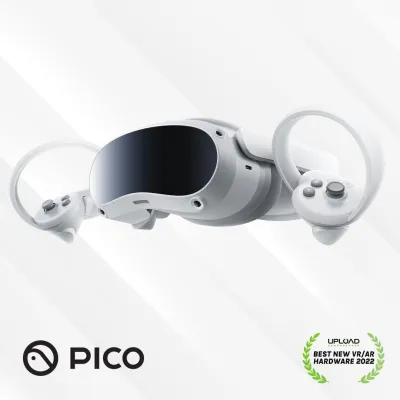
Pico 4 VR Headset
I highly recommend the Pico 4 VR headset for anyone looking for an immersive and portable virtual reality experience. With its lightweight design and comfortable fit, the Pico 4 is perfect for extended VR sessions. The headset also features a high-resolution display and powerful hardware, delivering stunning visuals and smooth performance. The Pico 4 is also incredibly easy to set up and use, making it a great option for both VR enthusiasts and beginners alike. Overall, the Pico 4 is an impressive VR headset that offers an exceptional VR experience in a portable and user-friendly package.
-
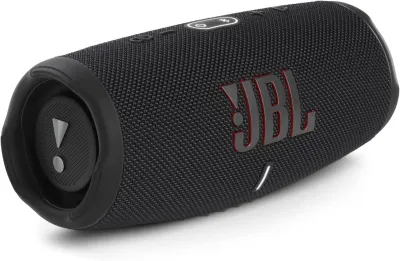
JBL Charge 5
As someone who uses the JBL Charge 5, I highly recommend it to anyone in need of a portable and durable speaker. The sound quality is outstanding, with powerful drivers and a bass radiator that produces a rich and clear sound. The speaker's IP67 waterproof and dustproof rating makes it perfect for outdoor use, and the built-in power bank is incredibly useful for charging other devices on the go. As someone who values versatility and quality, the JBL Charge 5 is an excellent investment and one that I highly recommend.
-
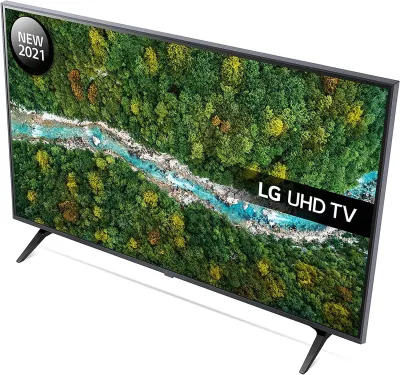
LG 43UP77006LB 43
I highly recommend the LG 43UP77006LB 43 inch 4K UHD HDR Smart LED TV. The picture quality is absolutely stunning in 4K Ultra HD, and the sound quality is immersive thanks to AI Sound technology. Plus, with the webOS smart platform, there's always something to watch with access to Freeview Play, Netflix, Disney+, and more. The sleek and slim design also looks great in any room. Voice control with Google Assistant and Alexa makes it easy to navigate, and the included Magic Remote is a nice touch. Overall, if you want a TV that offers an outstanding viewing experience, the LG 43UP77006LB is definitely worth considering.
-
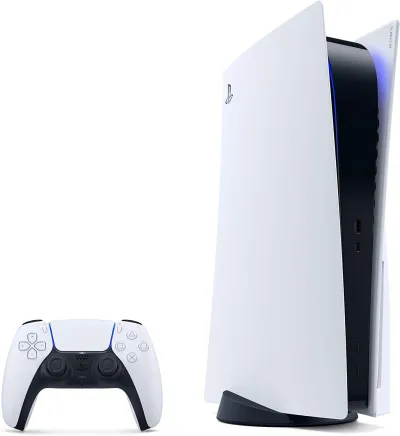
PlayStation 5
Gamers, you won't regret investing in the PlayStation 5. The custom SSD ensures you won't be kept waiting while loading games. The graphics and gameplay are breathtaking, thanks to the ray tracing technology and improved processing power. The DualSense controller is a standout, with haptic feedback and adaptive triggers.
PS5's game library grows daily with titles like Spider-Man and Demon's Souls showcasing its capabilities. Plus, with backward compatibility, you can still enjoy your favorite games from the previous PlayStation 4 console.
Overall, the PlayStation 5 is a must-have for any serious gamer. Its combination of cutting-edge hardware, innovative features, and exciting games make it the ultimate gaming machine.
Some links on this page are affiliate links: if you buy through them I may earn a small commission, at no extra cost to you. As an Amazon Associate I earn from qualifying purchases.